MOSHOU
MOSHOU HDMI 2.1 Multi-Input Switch – 8K60, 4K120, Remote Control
MOSHOU HDMI 2.1 Multi-Input Switch – 8K60, 4K120, Remote Control
Couldn't load pickup availability
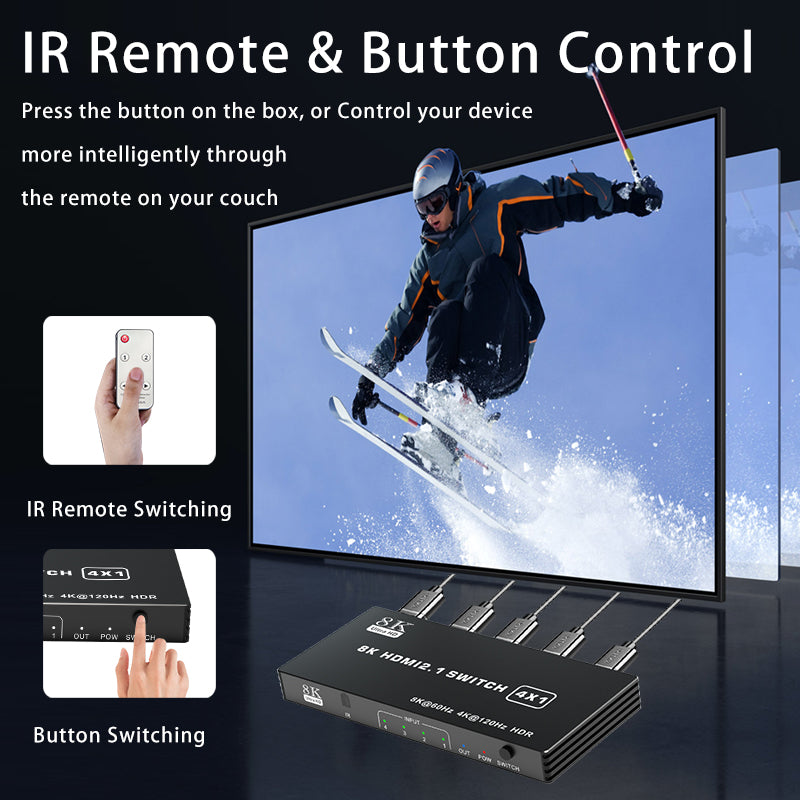
Connect multiple HDMI source devices to one TV, monitor or projector and switch between them without repeatedly unplugging cables. Choose the 3-input, 4-input or 5-input model to match your setup; every version provides one HDMI output and supports infrared remote or front-panel button control.
Choose the input capacity
- 3 Inputs / 1 Output: connect up to three HDMI sources to one display.
- 4 Inputs / 1 Output: connect up to four HDMI sources to one display.
- 5 Inputs / 1 Output: connect up to five HDMI sources to one display.
Key features
- HDMI 2.1 connectivity with bandwidth up to 48Gbps
- Supports up to 8K 60Hz, 4K 120Hz and 2K 144Hz
- HDR and VRR support when the complete HDMI chain supports these features
- Infrared remote control for convenient source selection
- Front-panel switch button and input status indicators
- Single HDMI output for a TV, monitor, projector or conference display
- Aluminum-alloy housing for a compact desktop or entertainment-center setup
How it works
- Connect each computer, console, set-top box, media player or other HDMI source to an HDMI input.
- Connect the HDMI OUT port to one display.
- Connect the supplied power source as shown for the selected model.
- Use the infrared remote or front-panel button to choose the active HDMI input.
Only one connected source is displayed at a time. This product is an HDMI switch, not a splitter: it does not send one source to several displays simultaneously.
Performance notes
Maximum resolution, refresh rate, HDR and VRR operation depend on the source device, display, HDMI ports, cables, content and system settings. For 8K 60Hz or 4K 120Hz, use compatible HDMI 2.1 devices and high-quality 48Gbps cables throughout the connection.
Specifications
- Brand: MOSHOU
- Interface: HDMI 2.1
- Maximum bandwidth: 48Gbps
- Input options: 3, 4 or 5 HDMI inputs
- Output: 1 HDMI output
- Controls: Infrared remote and front-panel button
- Housing: Aluminum alloy
Before buying
- Select the correct number of HDMI inputs before ordering.
- This switch has one HDMI output and cannot drive multiple displays simultaneously.
- It does not convert HDMI to DisplayPort, USB-C or another interface.
- The remote requires a clear line of sight to the IR receiver.
- Actual port layout and enclosure size vary between the 3-input, 4-input and 5-input models; check the selected variant image.
FAQ
Does it switch automatically?
The supplied information confirms switching by infrared remote or front-panel button. Manual selection gives you control over the active source.
Can I connect several game consoles to one TV?
Yes. Connect each console to an input and select the source you want to display.
Can two inputs appear on screen together?
No. It selects one HDMI source at a time and does not provide picture-in-picture.
Why can I not select 8K60 or 4K120?
Every source, display port and HDMI cable in the connection must support the requested format.
Share